Documents
The Documents section is VIA Onboard's PDF library. It stores, indexes, and displays machine manuals, maintenance procedures, service bulletins, and any other reference documentation you load into the system.
Navigate here from the main menu or the sidebar.
Two views
Documents has two sub-views accessible via tabs at the top of the page:
View Documents
Browse the full library of indexed PDFs, grouped into collapsible sections by folder. Each document is shown as a card with a thumbnail preview of its first page, its title, and its file name. A filter box, Refresh, Expand all, and Collapse all controls are available above the list.
View Documents — library list
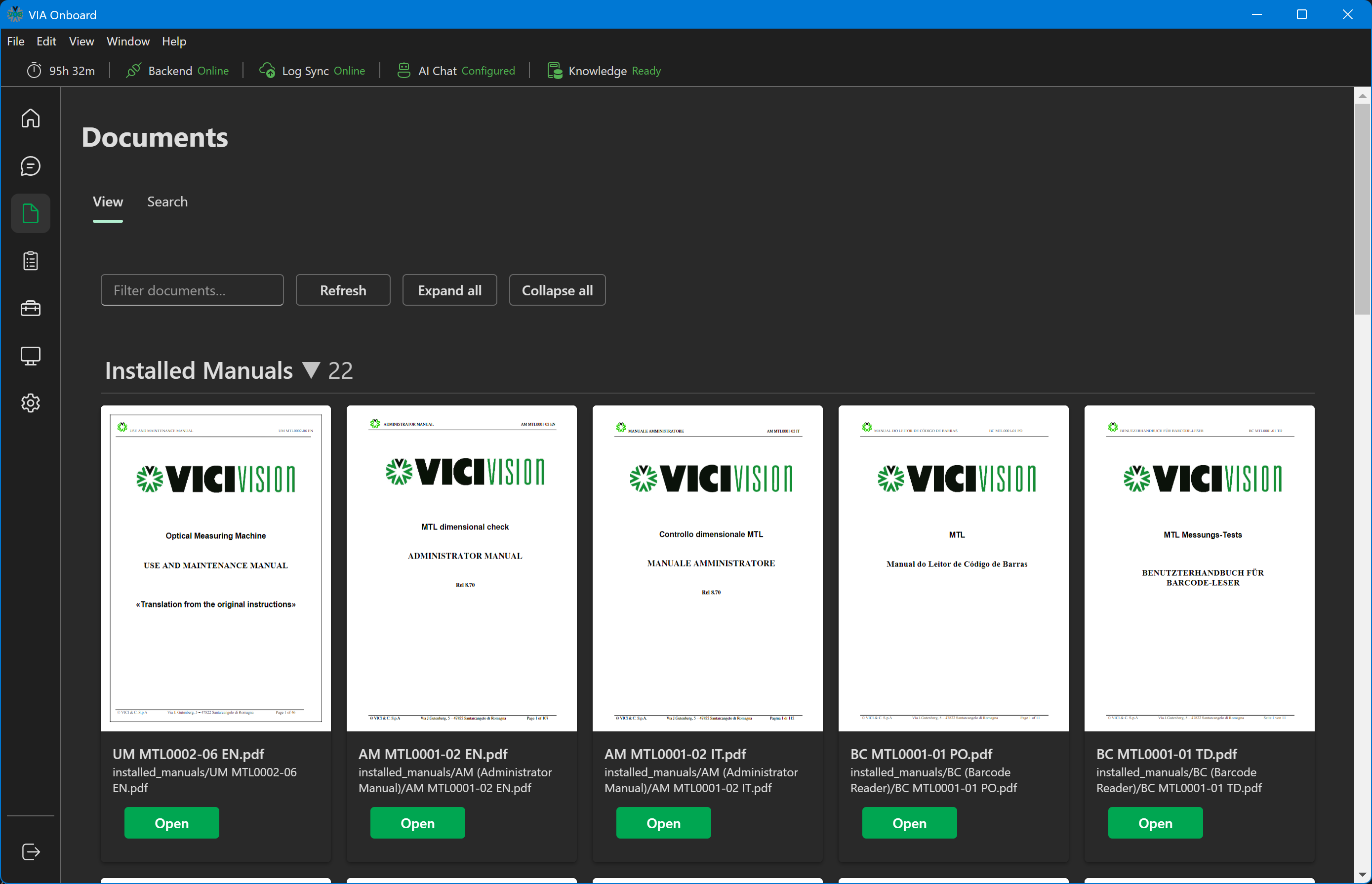
Click Open on any document card to open the PDF. By default this opens in VIA Onboard's built-in PDF viewer, with page navigation and zoom controls. You can switch this to always use your system's default PDF application instead via Settings → Document → Open PDFs in the built-in viewer.
Search Documents
Full-text semantic search across all indexed documents. Unlike a keyword search, this uses vector embeddings to find documents that are semantically relevant to your query — not just ones that contain the exact words.
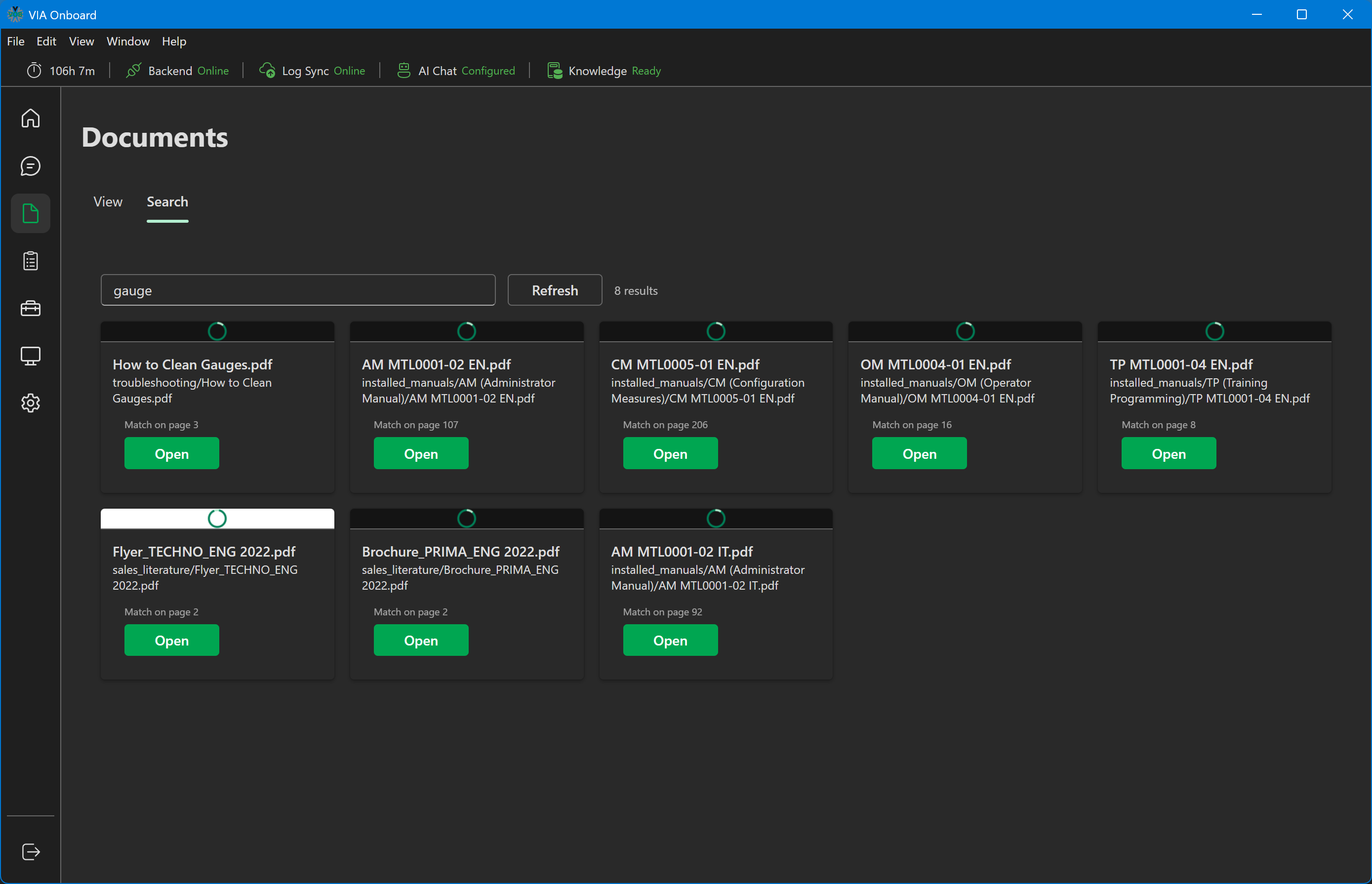
To search: 1. Click the Search tab. 2. Type your query in the search box (e.g., "error code E45 fault"). 3. Results appear as document cards with a thumbnail preview, title, file name, and a "Match on page N" label when a matching page is known. 4. Click Open on a result to open that PDF — by default, in the built-in viewer, jumping straight to the matched page. If the in-app viewer is turned off in Settings, it opens in your system's default PDF application instead, from the beginning of the document.
Search Documents — results
PDF viewer
The built-in viewer provides Prev/Next page buttons, a page-number field, and zoom in/out controls. An Open externally button is always available if you'd rather use your system's PDF application for a given document. If a PDF fails to render in-app, the viewer automatically falls back to offering an "Open externally" option.
This applies everywhere a document can be opened — View Documents, Search results, and Chat citations.
Document sources
The document library is fixed — it ships bundled with VIA Onboard, or is fetched once automatically on first run if it isn't already present. There is no user-configurable source folder, and no manual re-index control. Settings → Document controls display and viewer preferences (search result previews, the in-app viewer toggle, and the max number of results shown), not the library contents.
File format support
Currently, VIA Onboard indexes PDF files only.
Troubleshooting
Documents page is empty: The library is still being fetched on first run — this can take a few minutes depending on your connection. Verify the backend is running (green on the splash screen) and check again shortly.
Search returns no results: The document index may still be downloading. Wait for the System Status CPU tile to return to baseline, then retry.
A specific document doesn't appear: Only PDF files are indexed, and the library is fixed at install/first-run time — documents can't be added by a user after the fact in the current version.