Machine Report
The Machine Report page provides a detailed view of a single machine's log history, error trends, and individual log entries. Access it by clicking any machine tile on the Fleet Overview page, or via the Jump to machine sidebar dropdown.
Machine Report — full page
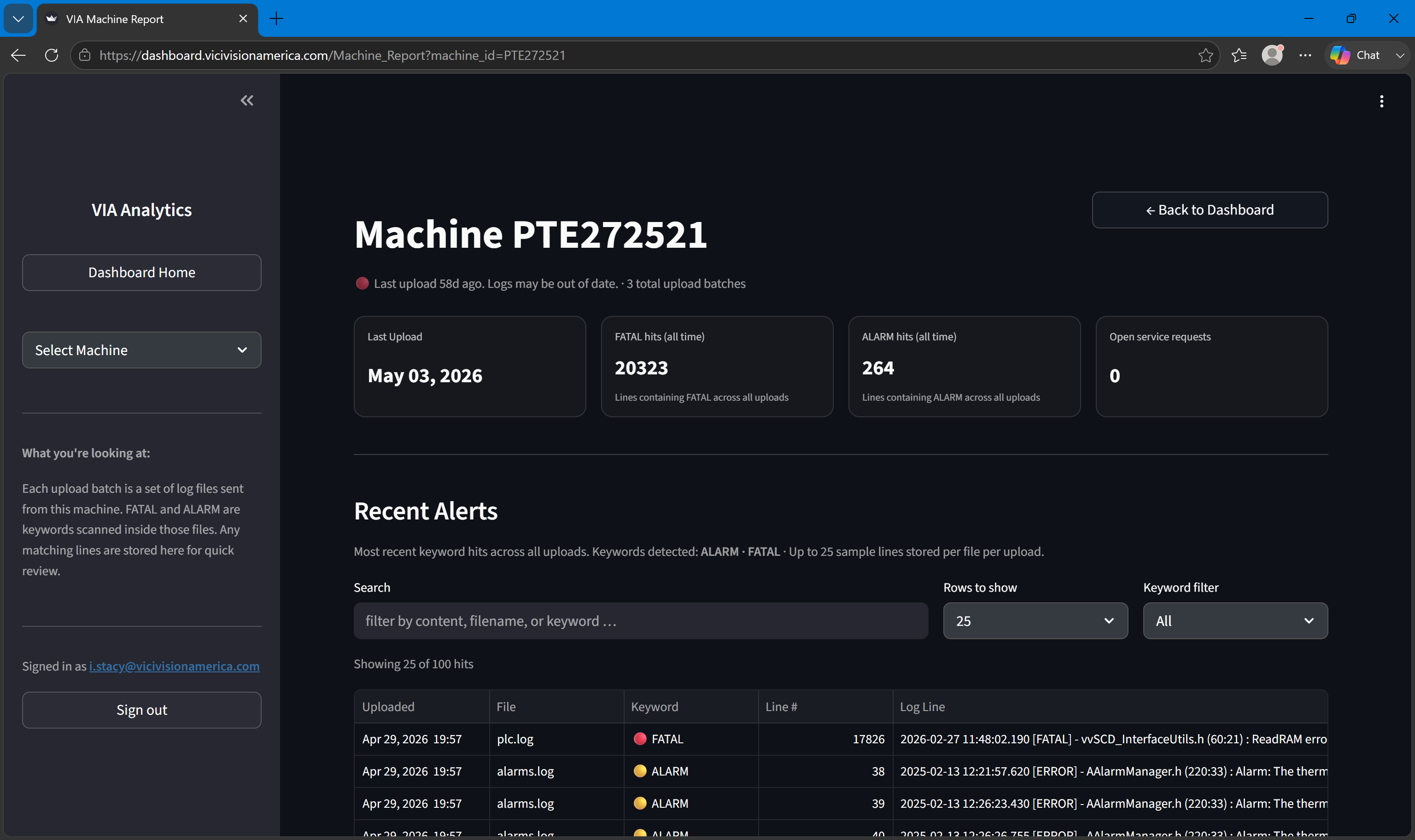
Summary pills
At the top of the report, stat pills summarize the most recent batch:
| Pill | Value |
|---|---|
| Total files | Number of log files in the most recent batch |
| FATAL | Count of FATAL-level events in the most recent batch |
| ALARM | Count of ALARM-level events in the most recent batch |
| Last upload | Timestamp of the most recent batch upload |
Summary stat pills

Error frequency chart
A Plotly time-series chart showing FATAL and ALARM event counts per batch over the machine's history. The X-axis is the upload timestamp; the Y-axis is the event count.
Use this chart to: - Spot recurring error patterns - Correlate error spikes with maintenance events (note dates in the batch history) - Track improvement after a repair or calibration
Error frequency chart
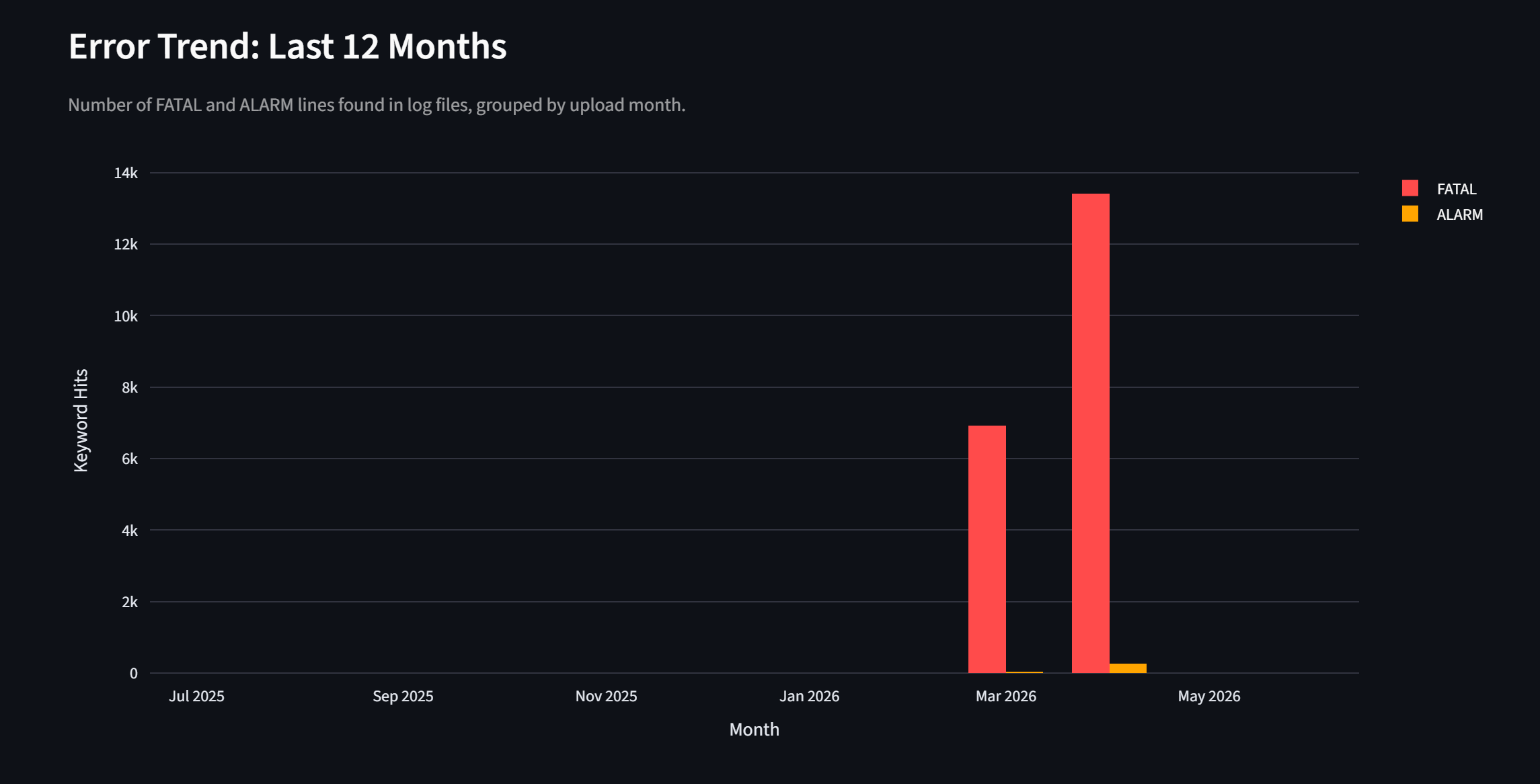
Hover over any point on the chart to see the exact batch date and counts.
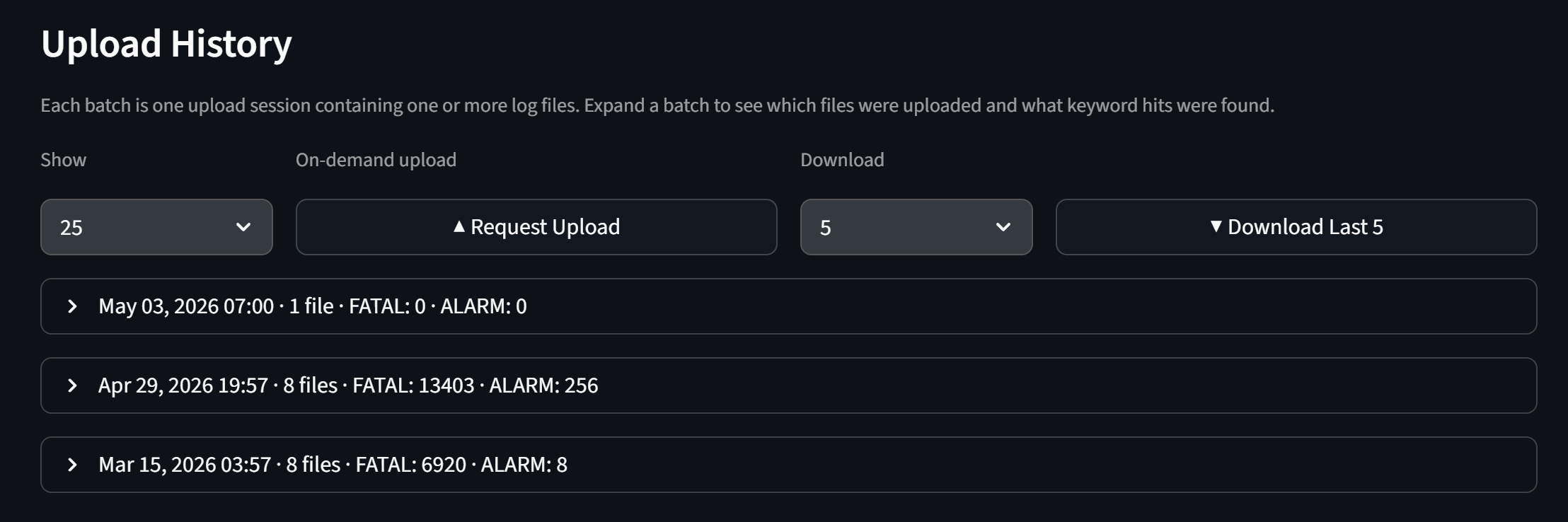
Batch history table
A table of all log batches uploaded from this machine, with:
| Column | Description |
|---|---|
| Upload date | When the batch was uploaded |
| Files | Number of log files in the batch |
| FATAL | FATAL event count |
| ALARM | ALARM event count |
| Status | Processing status of the batch |
Click a row to select that batch and load its log entries into the log line viewer below.
Batch history table
Log line viewer
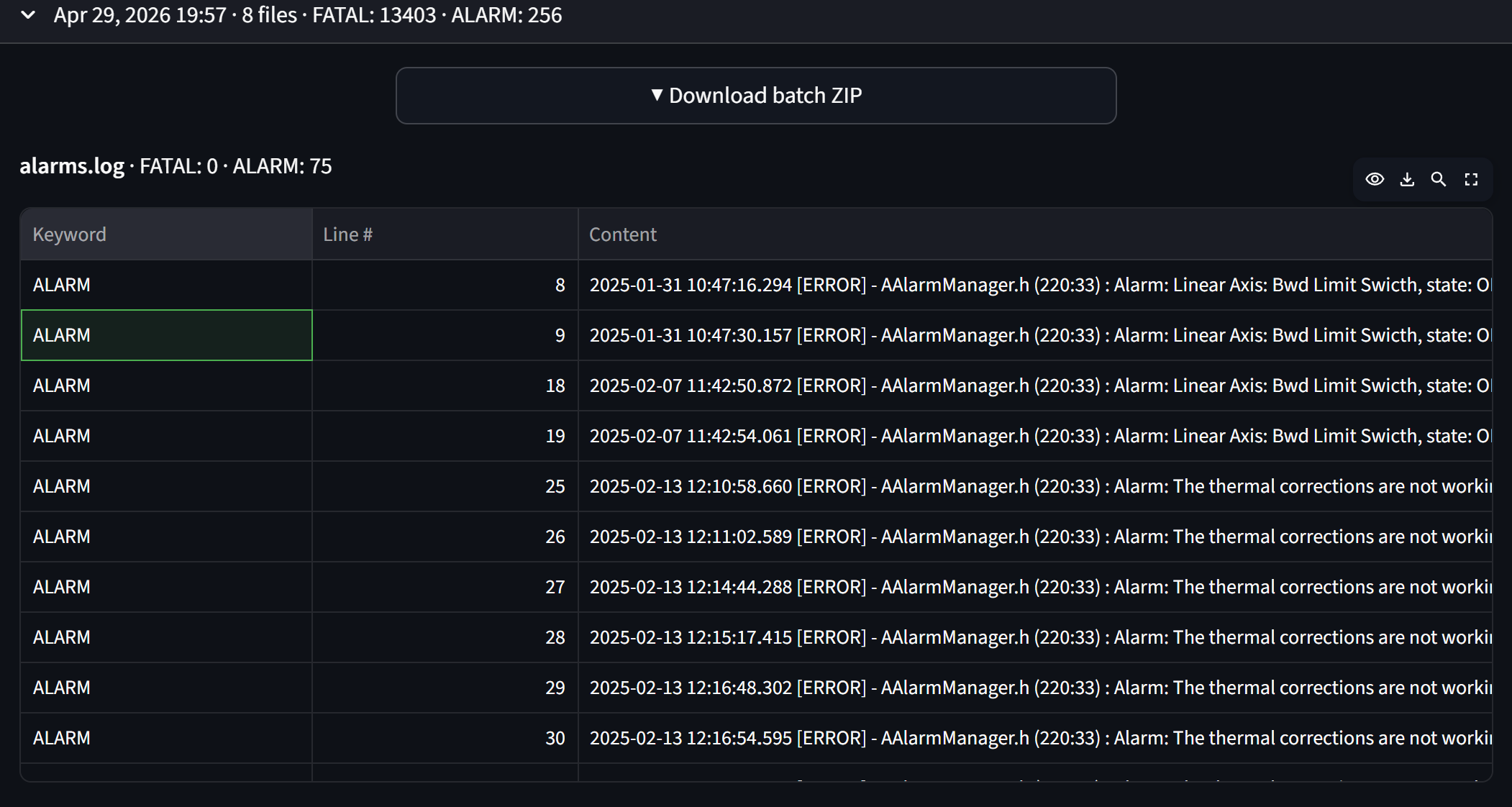
Shows the individual log lines from the selected batch. Each entry shows:
- Severity (FATAL, ALARM, INFO, etc.) — color-coded
- Timestamp
- The full log message
Severity filter: Use the filter above the viewer to show only FATAL, only ALARM, or all severities.
Log line viewer
Machine ID in the URL
The Machine Report URL includes the machine ID as a query parameter (e.g., /Machine_Report?machine_id=PGX85016). You can bookmark or share a direct link to a specific machine's report.